


The Modesto Bee | Latest News
3.792.00 Reviews
App Specs
- Version
- 11.1.16
- Updated On
- License
- Free
- Downloads
- 10,000+
- Developer
- McClatchy
- Categories
- News & Magazines
- Platform
- Android
Screenshots
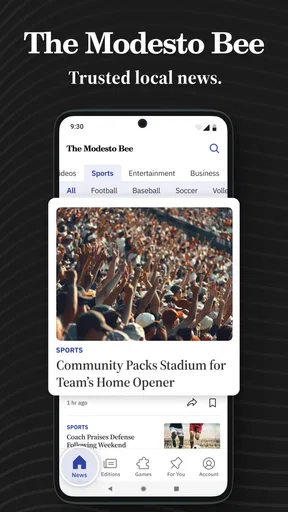
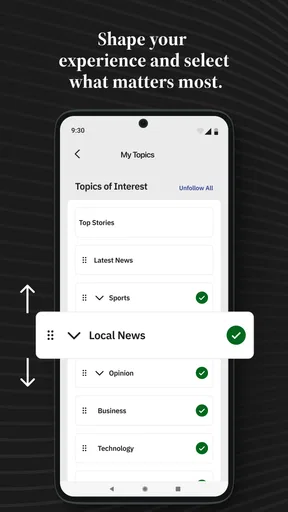
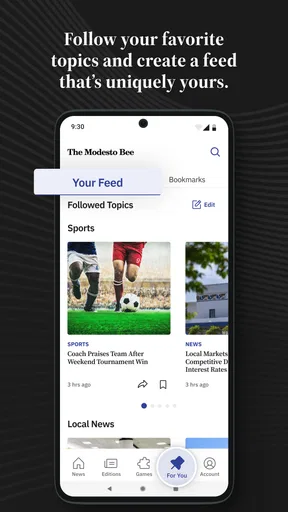
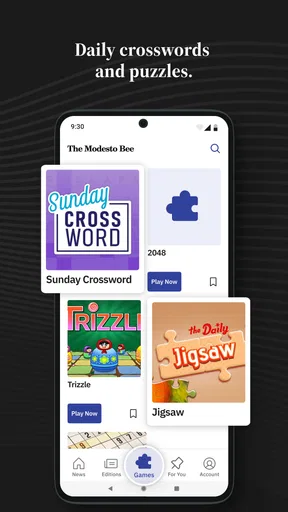
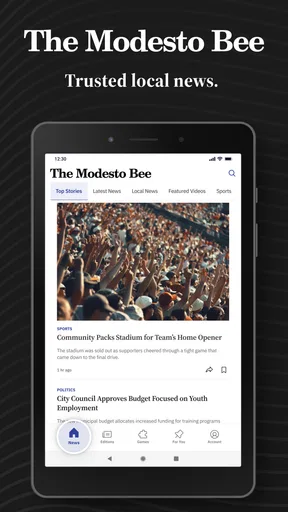
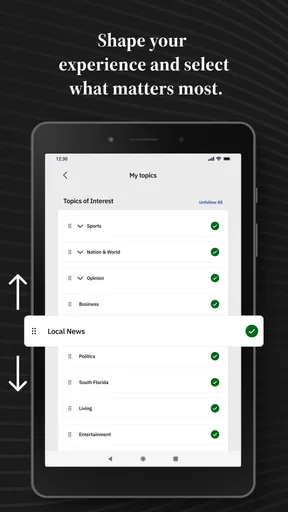
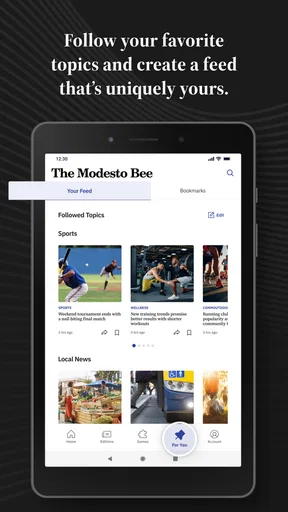
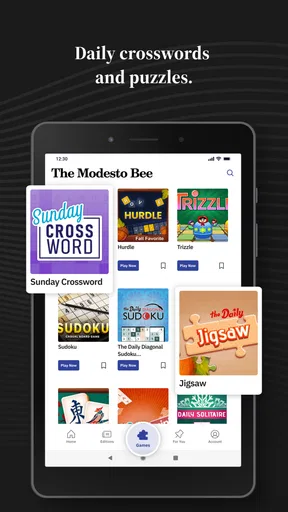
 Analysis by AppCompare
I found The Modesto Bee | Latest News most useful as a focused local-news reader rather than as a complete replacement for every news source on my phone. It comes from McClatchy and is aimed at readers who want Modesto and wider California coverage in one place, with attention to politics, crime, business, weather, and sports. That focus matters: the app feels more relevant when I want to understand what is happening near home, but less useful when I am looking for a broad national or international news briefing.
As a free News & Magazines app, it is easy to try without making an immediate payment. The trade-off is that in-app purchases range from $7.99 to $159.99 per item, so I would check the available subscription or purchase options carefully before committing. Its age rating is Everyone 10+, and the app has been available since March 20, 2012. The current version is 11.1.16 and it requires Android 8.0 or later.
How clearly the app supports different readers and situations
I find the app’s clearest strength is its regional focus: it gives readers a more direct route into Modesto and California coverage than a feed built to balance local, national, and international stories. In this section, I’ll look at how that focus can suit different routines and reading needs, while keeping expectations realistic about the choices a local publication can offer.
Readability and navigation for local news
My first impression is that the app’s value depends more on how quickly I can reach the right local story than on having a huge number of extra tools. The Modesto Bee is at its best when I open it with a specific purpose: checking a developing local issue, scanning regional politics, looking at weather coverage, or catching up on sports from the area. That narrower editorial purpose keeps the experience more grounded than a general news aggregator, where local reporting can disappear beneath national headlines.
I also like the idea of separating a quick news check from a longer reading session. In the morning, I can use a local-news app for a short scan of the subjects most likely to affect my day. Later, I can return to a full article when I have more time. This is a better fit for readers who want a regional news habit rather than an endless stream of unrelated stories.
That said, a local newspaper app is not automatically easier to navigate than a general news app. Readers who are accustomed to highly personalized feeds may find the experience more editorially directed. The benefit is that I do not have to build a local news list from scratch; the drawback is that I have less control over what appears first. If I want a very specific combination of national, international, technology, and entertainment coverage, a broader reader will probably feel more flexible.
For readability, I would approach the app with the same practical habits I use for any mobile newspaper: increase the phone’s system text size if the default article presentation feels cramped, keep display contrast comfortable, and read longer pieces in a quieter view rather than trying to follow them while walking. These adjustments come from the device and the reading context, not from a promise that every article layout will suit every reader.
Worth Reading Before You Choose

EA SPORTS FC Mobile 26 Is a Bigger Football Game, but It Takes Time

Flipboard Shows What News Apps Must Do Beyond the Feed

Switching to Android Auto Means Rethinking Your Driving Routine

Google Calendar Makes a Crowded Week Easier to Manage

Ludo King Makes the Most of the Minutes Between Plans

Baby Panda World Brings Quick Play to Modern Phones, but Its Game Library Feels Busy
The strongest accessibility advantage is relevance. When the headline concerns a nearby road, local government decision, regional business, or weather event, I need less mental effort to decide whether it matters. That is an underrated part of readable design. A clear local purpose can reduce the burden of sorting through a large national feed, especially for someone who becomes tired or distracted by excessive choice.
Motor and sensory considerations during everyday use
News reading is usually a low-pressure activity, but it still involves repeated taps, scrolling, and visual attention. I would not treat The Modesto Bee as ideal for hands-free use, because the central experience is built around opening and reading articles on a screen. Someone with limited fine-motor control may prefer using the phone’s built-in touch accommodations, a larger pointer or an external input method where supported by the device.
Short reading sessions are easier to manage than long browsing sessions. Instead of repeatedly scrolling through every section, I would choose one topic, open the most relevant story, and return to the main feed only when I am ready. This reduces repetitive movement and makes the app more manageable for readers who experience hand fatigue. Saving a story for later would only be useful if that function is available in the installed experience, so I would not depend on it as part of an accessibility plan.
For readers with visual sensitivities, the practical question is not only whether text is legible but also whether the surrounding presentation is comfortable. I found that a calm environment, moderate screen brightness, and a larger device can make a bigger difference than switching between multiple news apps. Dark or light display preferences should be handled through the phone and the app’s available controls when offered, but I would test the actual article screen before deciding whether it works for extended reading.
Readers who are sensitive to sudden interruptions may want to control notification behavior at the operating-system level. Local breaking news can be useful, but alerts can also interrupt concentration, sleep, or a work routine. I prefer to allow only the notifications that serve a clear purpose and silence the rest. That approach is especially helpful for someone managing anxiety, migraines, attention difficulties, or a schedule where unexpected alerts are disruptive.
Audio access is another important consideration. The app’s core identity is written local journalism, so I would not choose it specifically for a spoken-news workflow unless the installed version and the phone’s accessibility tools provide a comfortable way to have articles read aloud. Screen readers and text-to-speech can make written content more approachable, but the quality of that experience may depend on article formatting, navigation labels, and the device rather than on the publication alone.
Situational access: when the focused local approach helps
A realistic use case is a weekday morning before leaving home. I might open the app while drinking coffee, check local weather coverage, scan a political story that could affect the community, and look for sports updates before starting work. I do not need to compare dozens of unrelated sources; I need a concise sense of what is happening around Modesto and California. In that situation, the app’s regional focus saves time and gives the reading session a clear boundary.
It can also be useful during a local event when national apps are too general. If a weather situation, public-safety story, business development, or community decision is unfolding nearby, a publication centered on the area has a better reason to place that subject in front of me. I would still compare important claims with official information when decisions involve safety, travel, health, or emergencies. A news app can help me understand an event, but it should not be my only source for urgent instructions.
The app may suit people who have moved away from the Modesto area but still want a connection to local reporting. It can also help family members who want a more direct way to follow regional developments without building a collection of social-media accounts. That is a different kind of convenience from a personalized aggregator: the publication itself provides the local frame, while the reader decides how deeply to engage.
For commuters, the best workflow is probably a quick check before travel rather than reading while moving. I would avoid using it while driving or walking through busy areas. News reading requires enough attention to distinguish headlines from details, and local stories can contain names, locations, and developing information that deserve more care than a hurried glance.
The app is also suitable for a shared household routine, although I would keep expectations realistic. One person may want weather and local government coverage, while another may prefer crime reporting or sports. A focused publication can serve both interests if its sections are easy to reach, but it will not necessarily provide the same personalization as a large aggregator. The advantage is a common regional source; the limitation is that everyone is still working within the publication’s editorial priorities.
What remains difficult for inclusive use
The biggest barrier is the tension between free installation and potential paid access. I can download the app without paying, but the presence of in-app purchases means that some readers may encounter a point where continued access depends on a purchase. That can be confusing for people who assume “free” means every article is freely available. I would look at the purchase screen slowly, read what is included, and avoid confirming anything until the recurring or one-time nature of the charge is clear.
This matters even more for readers who share devices, rely on a fixed budget, or need help managing digital purchases. A family member assisting with phone use should explain the payment choices before enabling them. The range of possible item prices makes it especially important not to treat the first available option as the only option. The app’s free entry point is convenient, but the long-term cost question deserves attention.
Another limitation is the information density that comes with news. Crime coverage, politics, and severe weather can be emotionally heavy. Readers who are sensitive to distressing subjects may need to choose sections selectively and limit the time spent browsing. I appreciate the local focus, but local reporting can feel more personal precisely because the places and events are familiar. The app is not a wellness tool, and I would not use it as a constant background feed during an already stressful day.
People with cognitive disabilities may benefit from a simple routine, but they may struggle if headlines, promotional prompts, or multiple article choices compete for attention. My approach would be to open one section at a time, read the headline and publication context, and stop once the intended question has been answered. That makes the app more predictable than open-ended scrolling. It also reduces the chance of confusing an opinion, update, or developing report with a complete account of an event.
Readers with low vision or dyslexia should test the actual article presentation on their own device before relying on the app. System-level magnification, text scaling, contrast settings, and screen readers may help, but enlarged text can sometimes change the amount of scrolling required. A smaller phone may be less comfortable for long articles, while a larger screen can improve line spacing and reduce constant zooming. These are practical device choices, not guarantees about the app’s interface.
Language needs can also influence the decision. The publication is most appropriate for someone comfortable reading its available news content in English. If a reader needs extensive translation, simplified language, or a bilingual local-news experience, a different source may be easier to use. Translation tools can help with individual passages, but they may not provide the same smooth flow as content created for that language from the start.
How it compares with the usual alternatives
Compared with a general news aggregator, The Modesto Bee offers a clearer regional identity. Aggregators are better when I want one screen combining world news, national headlines, technology, entertainment, and several local sources. They are also usually stronger for personalization. The Modesto Bee is better when the local California angle is the reason I opened the app in the first place.
Compared with social media, the app gives me a more deliberate reading environment. Social platforms are fast at surfacing eyewitness comments and reactions, but they can mix reporting with speculation and make it difficult to follow a story’s context. A newspaper app does not remove the need for judgment, yet its editorial purpose gives me a more stable starting point than a rapidly changing social feed.
Compared with reading the publication through a mobile browser, the app can feel more direct because it is dedicated to the newspaper’s content. The browser may be preferable for readers who do not want another installed app, who switch between devices often, or who need browser extensions and translation tools. The app makes more sense for someone who expects to check local coverage regularly and wants that habit to begin from a dedicated icon.
Compared with television or radio, the app is better for choosing the exact story and reading at my own pace. Broadcast formats can be more accessible for people who prefer listening or need information while doing another task, while written articles are better for revisiting names, details, and background. I would use each format according to the situation rather than expecting one to serve every ability and context equally well.
Who should install it, and who should skip it
I would recommend it to readers in or connected to the Modesto area who want local reporting across politics, crime, business, weather, and sports. It is also a sensible choice for someone who finds national news feeds exhausting and wants a narrower starting point. The free download makes trying the reading experience straightforward, provided the reader understands that paid options may appear inside the app.
I would be more cautious about recommending it to someone seeking a fully personalized national news dashboard, a primarily audio-based service, or a source designed around multilingual reading. It may also be the wrong choice for readers who do not want to manage possible subscriptions or who prefer browser-based access. For those users, a general aggregator, radio service, or mobile website may provide a better match.
Its audience size reflects a focused product rather than a universal news platform: it has over ten thousand installs, a 3.7 average from 305 ratings, and 92 written reviews. Those figures suggest that I should judge it by how well it serves local-news readers, not by expecting the breadth or polish of the largest national apps. The app is free to install, rated Everyone 10+, and maintained in version 11.1.16 for Android 8.0 and newer devices.
My inclusive verdict on the local reading experience
After using The Modesto Bee as a regional news companion, I see its main strength in focus. It gives a reader a reason to open the app that is easy to understand: follow Modesto and California stories without first sorting through the entire news cycle. That clarity can support people who need a manageable reading routine, especially when they choose one topic, adjust their phone for comfort, and control notifications.
Its accessibility story is more practical than exceptional. The app can fit different abilities when combined with device settings, screen-reader tools, text scaling, notification controls, and a thoughtful reading routine, but I would not assume that every reader will find the article layout equally comfortable. Motor fatigue, visual strain, emotionally difficult coverage, language needs, and paid-access prompts remain real considerations.
My final recommendation is conditional but positive: install it if local Modesto and California reporting is your priority, then spend a few minutes testing text size, navigation, alerts, and article reading on your own phone. If the local focus answers your daily questions, it is more useful than a generic feed. If you need broad personalization, extensive audio support, or a completely free reading experience, another news option will probably serve you better.
Pros
- Local reporting focused on Modesto and California’s Central Valley.
- Breaking-news alerts help readers stay informed about important developments.
- Coverage includes local politics
- crime
- sports
- and community events.
- Clean mobile layout makes articles easy to read on smaller screens.
- Supports saving stories for later reading when the feature is available.
Cons
- Many premium articles may require a subscription to read in full.
- Advertising can distract from content
- especially for non-subscribers.
- Some stories may load slowly on weaker mobile connections.
- Push notifications can feel frequent if several topics are enabled.
- Coverage is highly regional and may offer limited value outside the area.
FAQs for The Modesto Bee | Latest News
What is The Modesto Bee | Latest News app?
The Modesto Bee | Latest News is a mobile news application focused on Modesto, California, and the surrounding Central Valley communities. It provides access to local reporting, breaking news, politics, crime, education, business, sports, entertainment, and opinion content. After installing it, users can browse current stories in a mobile-friendly format and keep up with important regional developments from one place.
Is The Modesto Bee app free to download and use?
The application can generally be downloaded at no cost, allowing users to explore the app and read any content made available without a subscription. However, some articles or premium features may require a paid digital subscription, depending on the publisher’s current access policy. Before downloading, users should review the in-app subscription details, trial terms, renewal conditions, and any restrictions associated with premium content.
What type of news and features can I find in the app?
The app is designed for readers who want more than general headlines. It may include local and regional news, weather-related updates, public safety reports, high school and professional sports, community stories, business coverage, entertainment, editorials, and investigative reporting. Depending on the version installed, users may also find article sharing, saved stories, notifications, multimedia content, and personalized access to sections they read most often.
Does The Modesto Bee app require an account or subscription?
You may be able to open the app and view some articles without creating an account, but registration can be required for additional features, personalized settings, or access to subscriber-only stories. A digital subscription may also be necessary when an article is protected by a paywall. If you decide to subscribe, check the price, billing frequency, cancellation process, and whether the subscription applies across supported devices.
Can I receive breaking-news notifications and read articles offline?
The app may offer push notifications for breaking news, major local events, weather developments, sports results, and other important updates. Notification preferences can usually be adjusted through the app or your device settings so alerts do not become intrusive. Offline reading capabilities may vary by version and content type, so users should not assume every story will remain available without an internet connection.


